
How to Create a Dog Date Week Schedule Using ChatGPT
A 4leggedIT fill-in-the-blanks template for a printable weekly schedule: one dog, one day, one-on-one time.
Homes with more than one dog, and foster homes especially, can find that some dogs get less individual attention than others.
A Dog Date Week gives each dog a day. This template has ChatGPT make the schedule, which you print, laminate, and write on with a dry-erase marker.
Why this matters
- Every dog gets a set day of your undivided attention, so nobody gets left out.
- Each dog's collar color on the page makes it easy to see whose day it is.
- Laminated, it can be reused every week with a dry-erase marker.
Privacy & Permissions
- Use first names or nicknames only. Do not put your address, phone number, or other contact details on a schedule that might be posted or shared.
- Only upload photos of dogs you own or foster, or that you have permission to use.
- For foster dogs, check with the rescue before sharing the schedule publicly.
Step 1 — Gather your dogs and ideas
This step collects what has to be right on the schedule.
ChatGPT draws the cartoon dogs. It cannot know which dog wears which collar, so you supply that.
- Each dog's name, collar color, and a short description such as breed, coat, or age.
- Which day goes to which dog. Leave Saturday and Sunday open if you want flexible days.
- Seven activity ideas, such as a hike, a walk, or a trip to the dog park.
- Optional: one clear photo of each dog so the cartoons look like them.
You have every dog, collar color, and activity in one place before opening ChatGPT.
Step 2 — Fill in the template and send it
The template turns your list into one message ChatGPT can follow, including the size, the checkboxes, and the dry-erase writing areas.
The activities are only suggestions, so the template asks for them without checkboxes.
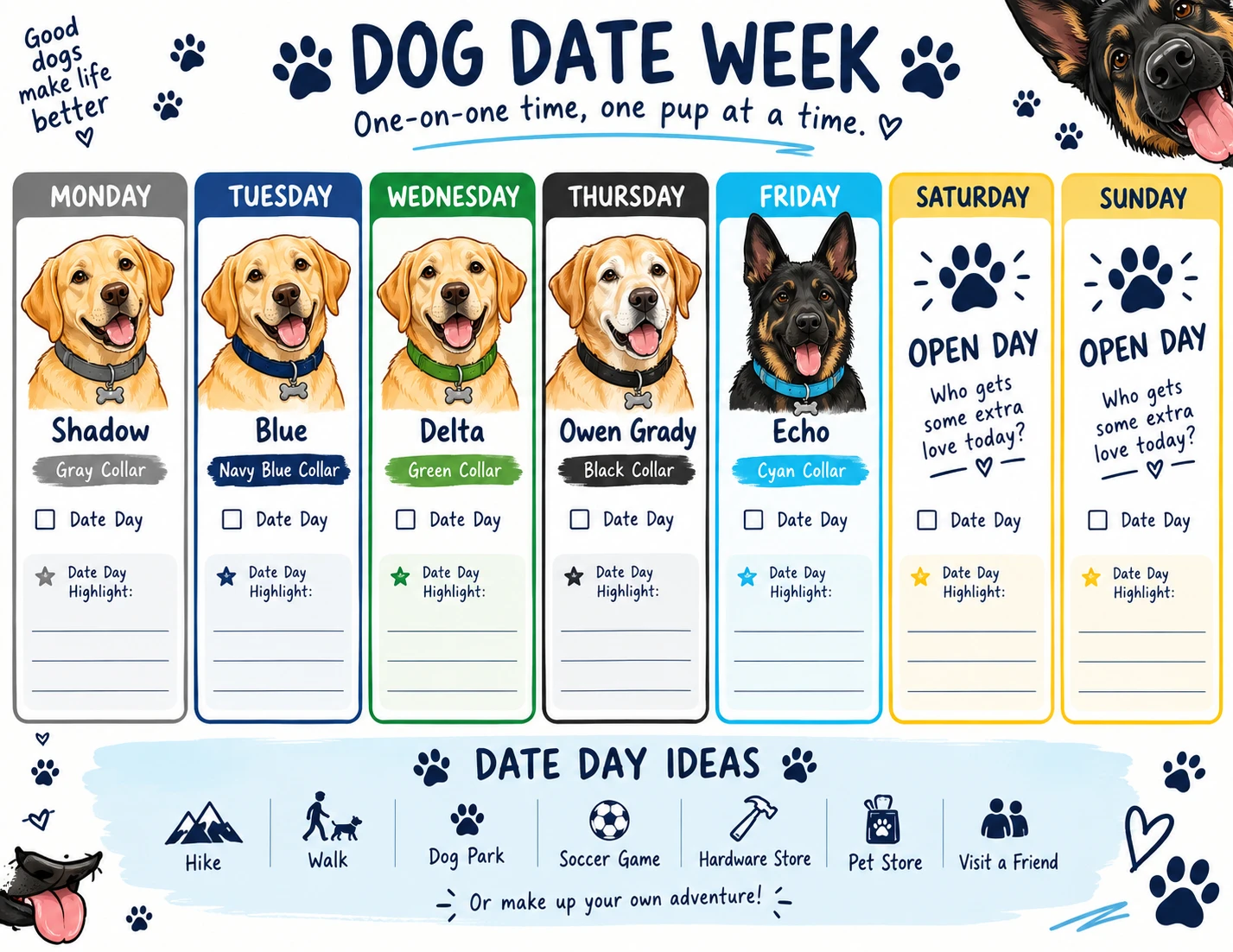
- Copy the template and fill in each day with the dog's name, collar color, and a short description, for example "Shadow, gray collar, yellow Labrador". Write "Open" for a day with no dog.
- Open a new ChatGPT chat and attach your dog photos with the paperclip or + button, if you have them.
- Paste your filled-in template and send.
Expand to copy: Dog Date Week template (fill in the blanks)Copy it, then fill in or replace the details with your own.
Create a one-page printable "Dog Date Week" schedule.

Format:
8.5 x 11 landscape
Single page
Designed for printing and laminating
Use with a dry-erase marker

Days:
Monday:
Tuesday:
Wednesday:
Thursday:
Friday:
Saturday:
Sunday:

Date Day Ideas (suggestions only, not checkboxes):

Include:
Expand to copy: Example: five dogs and an open weekend, filled inCopy it, then fill in or replace the details with your own.
Create a one-page printable "Dog Date Week" schedule.

Format:
8.5 x 11 landscape
Single page
Designed for printing and laminating
Use with a dry-erase marker

Days:
Monday: Shadow, gray collar, yellow Labrador
Tuesday: Blue, navy blue collar, yellow Labrador
Wednesday: Delta, green collar, yellow Labrador
Thursday: Owen Grady, black collar, older yellow Labrador with a white muzzle
Friday: Echo, cyan collar, black and tan German Shepherd
Saturday: Open
Sunday: Open

Date Day Ideas (suggestions only, not checkboxes):
Hike, Walk, Dog Park, Soccer Game, Hardware Store, Pet Store, Visit a Friend

Include:
- Cartoon-style illustrations of the dogs (if photos are attached, base each cartoon on that dog's photo)
- Each dog's collar color as a visual accent
- Paw-print decorations
- Playful dog elements around the corners
- A "Date Day" checkbox for each day
- A "Date Day Highlight" writing area for each day
- Clean, empty writing areas that are easy to use with a dry-erase markerChatGPT returns a first version of your schedule, like the example above.
Step 3 — Check the schedule
This step catches what AI image tools still get wrong.
A schedule with the wrong name on the wrong day defeats the point.
- Check each dog's name spelling and the day it is on.
- Check that each collar color matches the real collar.
- Make sure the checkboxes and highlight areas are empty and large enough to write in.
- Ask for one fix at a time, for example: "Change only Thursday's collar to black. Keep everything else the same."
Every dog, day, and collar color matches your list from Step 1.
Step 4 — Print, laminate, and use
This step turns the image into a schedule you can use all week.
You chose the size in the template, so there is nothing to convert.
- Download the image from ChatGPT and print it on 8.5 x 11 paper, landscape.
- Laminate it, or use a clear sheet protector.
- Hang it where you will see it and check off each Date Day with a dry-erase marker.
- Wipe it clean on Sunday and start the next week.
You have a reusable weekly schedule, and a template ready for when your dogs change.
Official References
Open these only if something doesn’t match your screen.
You do not need to read them to complete the guide.
Need Help With Your Rescue's Website?
We build and maintain websites for small rescues and nonprofits.